
In 20 minutes, you will have a running POS solution
Being a restaurant owner is challenging, so we made POS software that’s easy for you
How easy? In just 20 minutes, your POS will be up and running.


Only 4 steps to launch
-
Registration
Quick signup to create your restaurant account
-
Customization
Input your menu, waiters, and tables or import automatically from your old POS
-
Installation
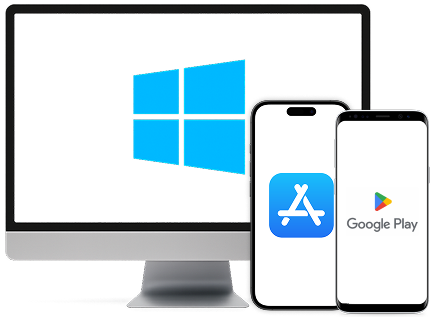
Instruct your waiters to install menu4u app or/and Install it on your Windows PC or tablet as a fixed POS
-
Launch
Few minor printers and payment methods configs
Working from the waiter's phone
No need to buy extra hardware or manage endless restaurant tablets just to offer quick services to customers. Each waiter installs the POS on his private mobile phone and he’s ready to go
Read in detail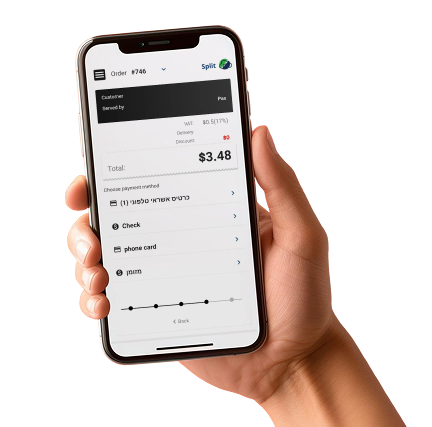

Continue to serve even if the internet or electricity goes down
Our POS was designed to continue working even if the internet or electricity goes down without worry. All the data and orders will be automatically synced once the network returns offline mode
Read in detailAI-Powered Insights for Smarter Decisions
Running a restaurant means making tough calls every day.
Our built-in AI helps you make those decisions with confidence by turning your data into clear, actionable insights.
With AI built directly into your POS, you’ll always know the next best step for your restaurant’s growth.
-
Smart Recommendations – Get AI-powered suggestions to improve efficiency and increase revenue.
-
Performance Analysis – Instantly see which menu items, staff, and shifts are driving profits.
-
Customer Trends – Understand guest behavior, loyalty patterns, and sales cycles to make better business choices.
-
Profit Optimization – Receive alerts and insights that help reduce costs and boost earnings.
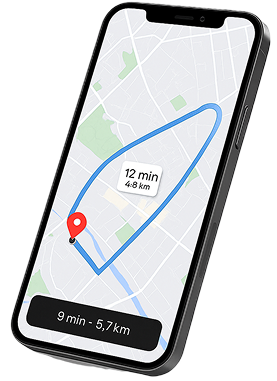
Seamless Local 
Delivery Integration
No need for complicated setups or third-party apps—our POS comes with automatic connections to local delivery companies.
With zMenu, managing deliveries is simple, fast, and fully integrated
- Instant Activation
- Automatic Sync
- Work With Any Local Provider
- Track in Real Time
- One System, Zero Hassle
360 software solution for small or huge restaurants
We have it all, POS solution, Delivery system, Call center solution for phone and internet ordering, ecommerce. add any of the sections to your business at any time and they will seamlessly get synced.
Read in detail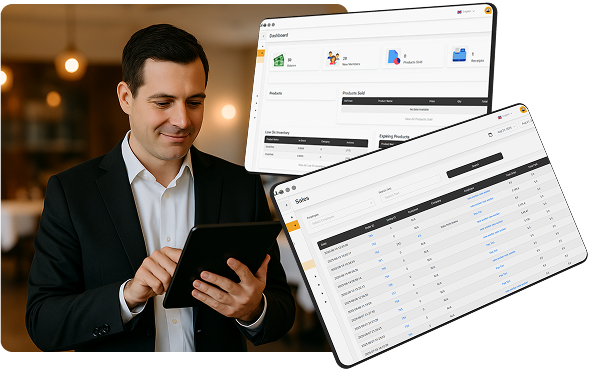
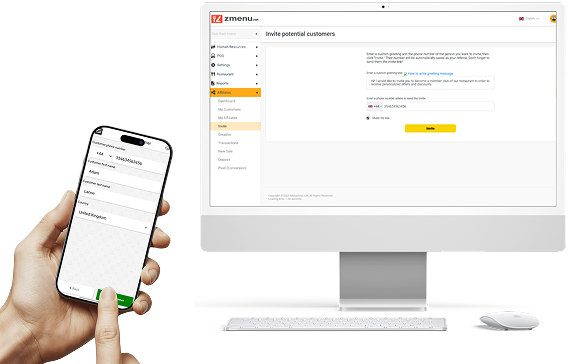
Full club members and loyalty management
Each waiter can input customers phone numbers to manage your club members.
- offer discounts to returning customers.
- Know your customers, give personal service that increases tips to waiters and returning customers.
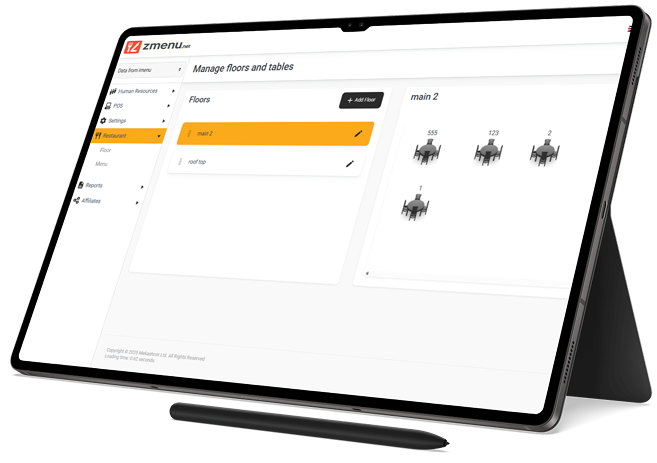
Design your floor plan
With just a tap and slide, increase set tables in your floor plan that reflects your restaurant layout—work from a POS system that works for you and make real-time adjustments
- Accommodate last-minute reservations and special requests on the spot
- Use custom images for tables, seats and decor to properly represent your space
- Follow your guests and easily transfer items to a different table, chair, or floor plan
 Let’s start
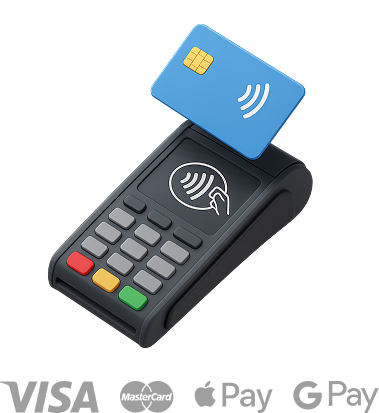
Offer contactless payments to your customers and staff
Handle all swipes, taps, tips, and splits with an EMV-compliant terminal restaurant POS software at no extra cost. If you're on the go, offer fast mobile payments with our integration solution.
Offer fast transactions anywhere with every swipe, dip and tap of every credit, debit, and gift card. Add tips on the spot or add them later when you have time Open tabs and place orders under customer accounts Set custom tip redistribution for your team
Suitable for whom
-

Fast food
-

Cafes
-

Bars
-

Hotels
-

Restaurants
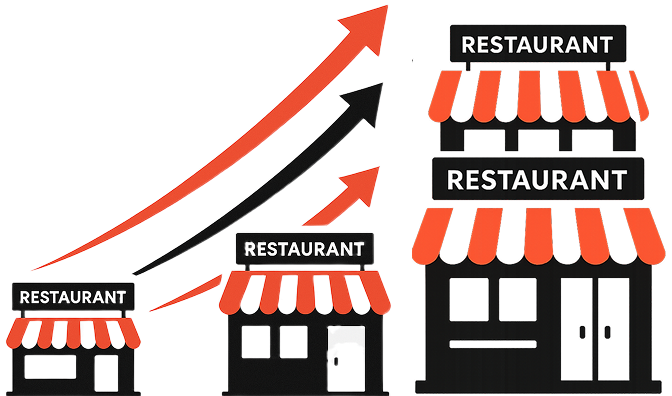
The restaurant POS system that scales
with your business
Are you opening a new location? Oversee it from the same point of sale system as your current locations. Lightspeed Restaurant centralizes your business so you can manage them all at once
Manage all your locations in one system Generate multi-location reports to monitor your overall performance
Edit all your menus for all locations, no matter where you are, with no delay Scale with a fully-featured solution you'll never outgrow
Stay efficient with built-in tools designed for your industry.
-

Order Kiosks
-

Combos & Menu Modifiers
-

Customer-Facing Display
-

One-Tap Order Firing
Use restaurant data and reports to increase your profits
Get unrestricted access to all your data and reports via iPad, mobile phone, or desktop computer. From granular sales data to trending menu items and an overall view of your business, all the information you need to make intelligent decisions for your restaurant is in your POS.
Customer reviews
-

Emily Vargas, Manager at Olive & Thyme Bistro
We switched to this POS system in less than a day — and it completely changed how our team works. No more chaos during dinner rush. Waiters love using their own phones, and the kitchen receives orders instantly. Honestly, it's the most efficient setup we’ve ever had.
-

Daniel Kim, Owner of Mellow Coffee House
As a small cafe owner, I was worried about complicated setups and expensive hardware. But with this system, everything runs from our own devices — it’s simple, fast, and reliable. Even when the internet went down, we kept serving like nothing happened.
-

Sofia Legrand, Operations Director at La Taverna
Adding delivery and call center modules took minutes — and everything synced automatically. Now we manage dine-in, online orders, and phone calls in one place. It’s like having a full tech team behind our restaurant
-

Marcus Bell, Owner of The Urban Spoon Group
We run three restaurants across the city, and this POS lets us control everything from one dashboard. Editing menus, tracking performance, managing staff — it’s all smooth and centralized. It’s the best investment we’ve made.
24/7 support and training

Onboarding

Guides, videos, demos

Round-the-clock support
Everything you need, in one place
All our software integrates seamlessly with each other, making it an unbeatable suite of hospitality solutions.
One company to trust. One source of customer data.
One support team.
Get one fully-integrated restaurant system.
Choose from basic to pro add-on options to best
meet your needs.
Sleek restaurant hardware with seamless POS integration
Kitchen printers designed for hot and humid environments, kitchen buzzers that cut through noisy rushes, LiteServers that let you keep working offline and more — our top-quality restaurant hardware explicitly tailored to your needs that can handle the hustle of your busiest shifts.
Are you ready to launch?
FAQ
-
Do I need to buy extra hardware to use this POS?
No. Zmenu works directly from your existing devices. Waiters can use their personal phones, and managers can run the POS on any Windows PC or tablet. Optional printers or payment terminals can be added later, but are not required to get started.
-
Will the POS still work if the internet goes down?
Yes. Zmenu continues operating in offline mode even if the internet or power fails. All orders and data are safely stored locally and automatically synced once the connection is restored.
-
Can I manage multiple restaurant locations?
Absolutely. Zmenu lets you manage several restaurants under one dashboard. You can view reports across all branches, edit menus for all locations at once, and monitor performance in real time from anywhere.
-
Is support really available 24/7?
Yes. Zmenu provides full 24/7 support, including onboarding assistance, training materials, guides, and live help whenever you need it.